This document discusses Tag and Collection types.
The user interface examples shown below are based on the research and design for the entertainment brands, and the details of the structure and fields are subject to change after we conduct deeper research with CNBC users.
Objective
Create tags that hold brief information about the person, company, place, organization, and event, and use them to tag and categorize articles by topic
Example Link
Features
- Tag types
- Company
- Security
- Person
- Place
- Organization
- Event
- Company & Security
- Name of the company/stock
- Description field
- SEO Keywords
- Ability to attach image, if needed
- GDS ID
- Person
- Name of the person, including prefix & suffix
- Description field
- SEO Keywords
- Ability to attach image
- Place, Organization, Event
- Name
- Description field
- SEO Keywords
- Ability to attach image
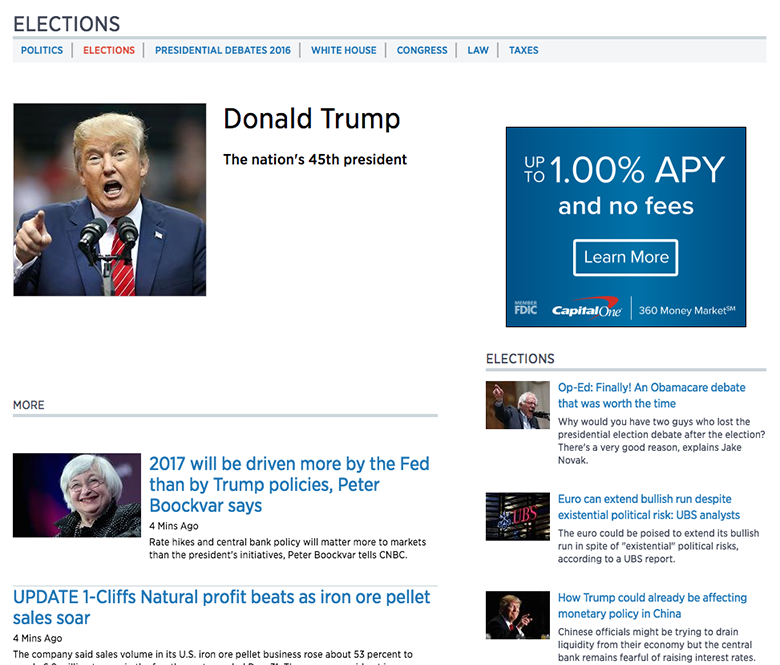
Example of a Person Tag
Objective
Create a Curated Collection that holds contents in a specified order
Example Link
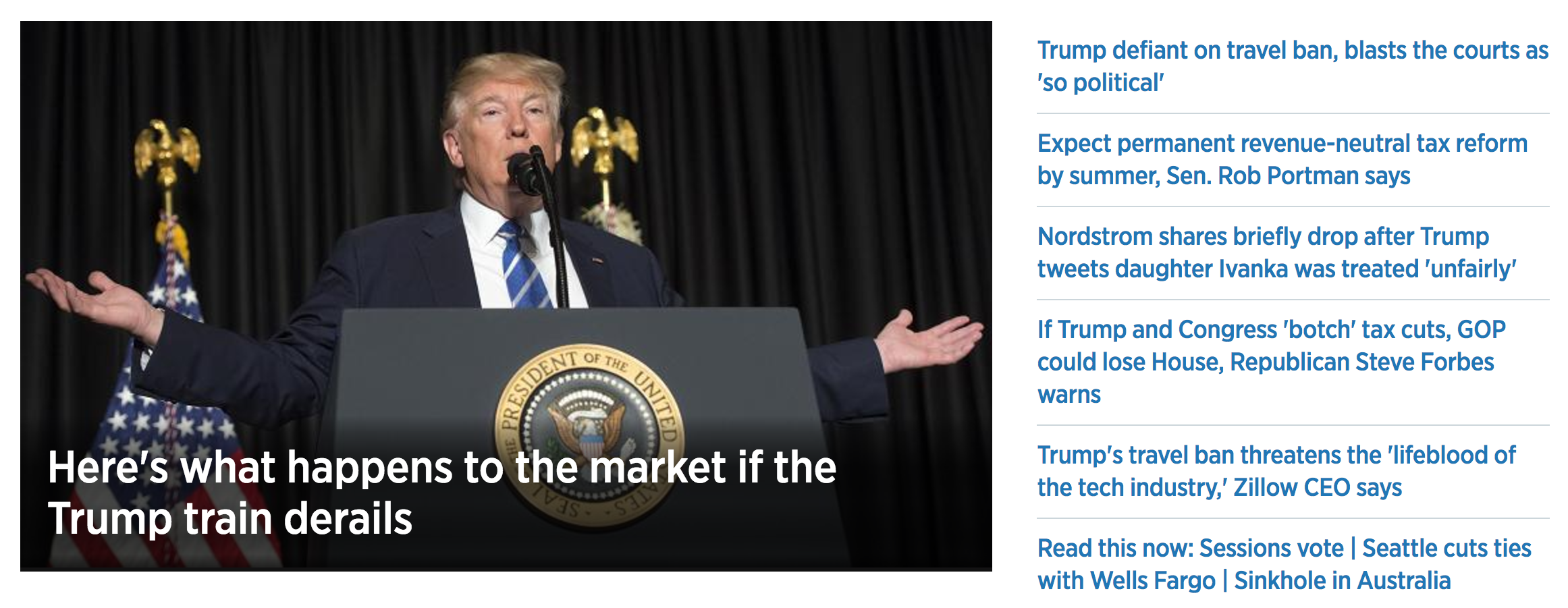
Example of a Curated Collection: Top Section of the Homepage
Fields & Features
Basic Information
- Title*: Title of the Curated Collection
- Short Description*, Medium Description, Long Description: Different lengths of descriptions of the Curated Collection
- May not be necessary – depending on the brand needs
Association
- Series, Season, Episode: Reference to the related Series, Season, and Episode
- Only applicable to the Prime-related pages. May be the fields that are only available to TV/Prime users
- Categories, Tags*: Taxonomy
- Depending on the brand needs
Collection Items
- Item: Reference to all content types that can be in a Curated Collection
- e.g. All article content types, media types, tags, etc.
- Dropdown that searches for all available content and media types in the CMS
- User can add multiple items
Other
- Option to switch to Dynamic Collection
*: same field available in articles
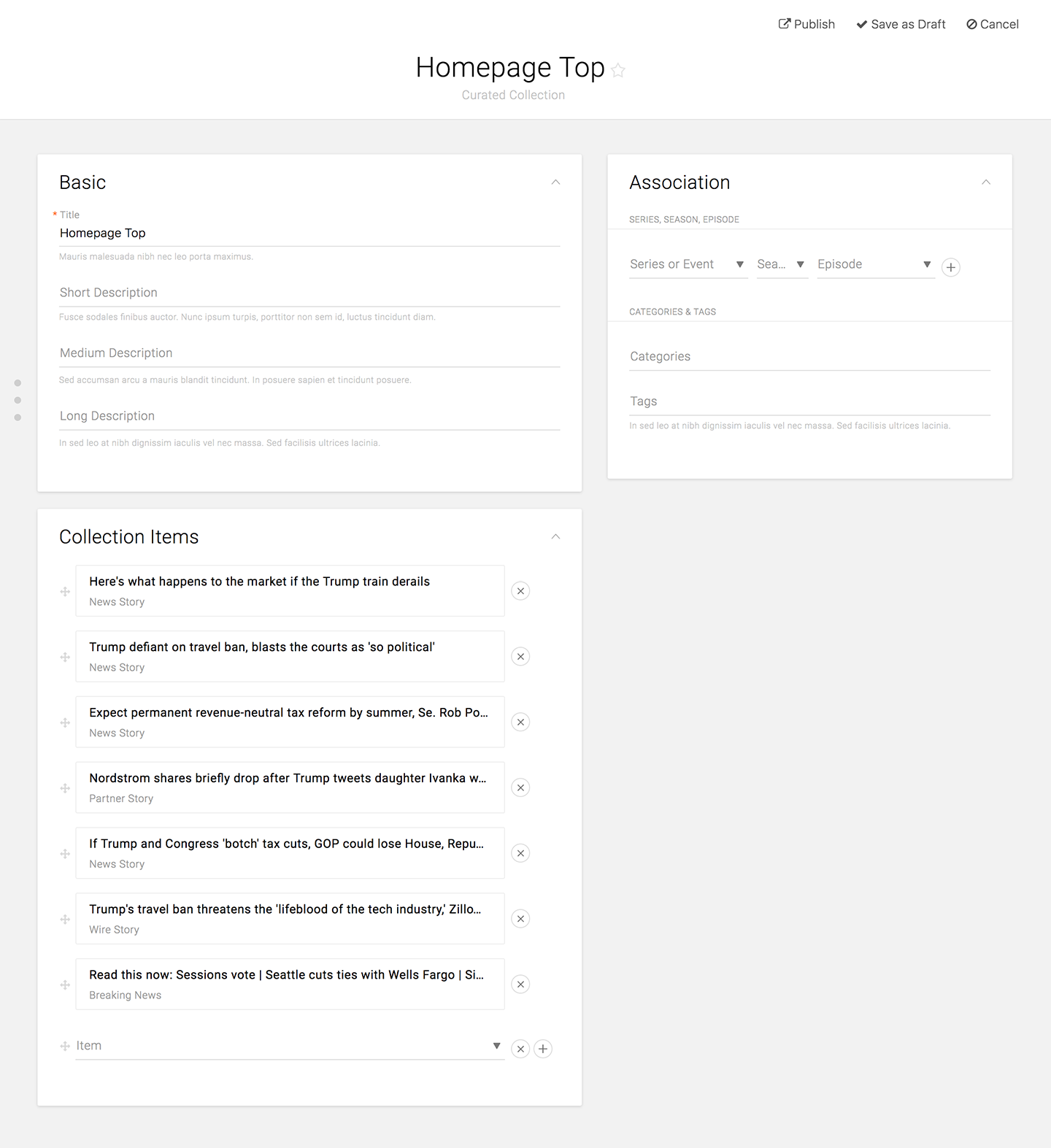
Example of a Curated Collection UI
Objective
Create a Dynamic Collection that holds contents that satisfy the specified criteria
Example Link
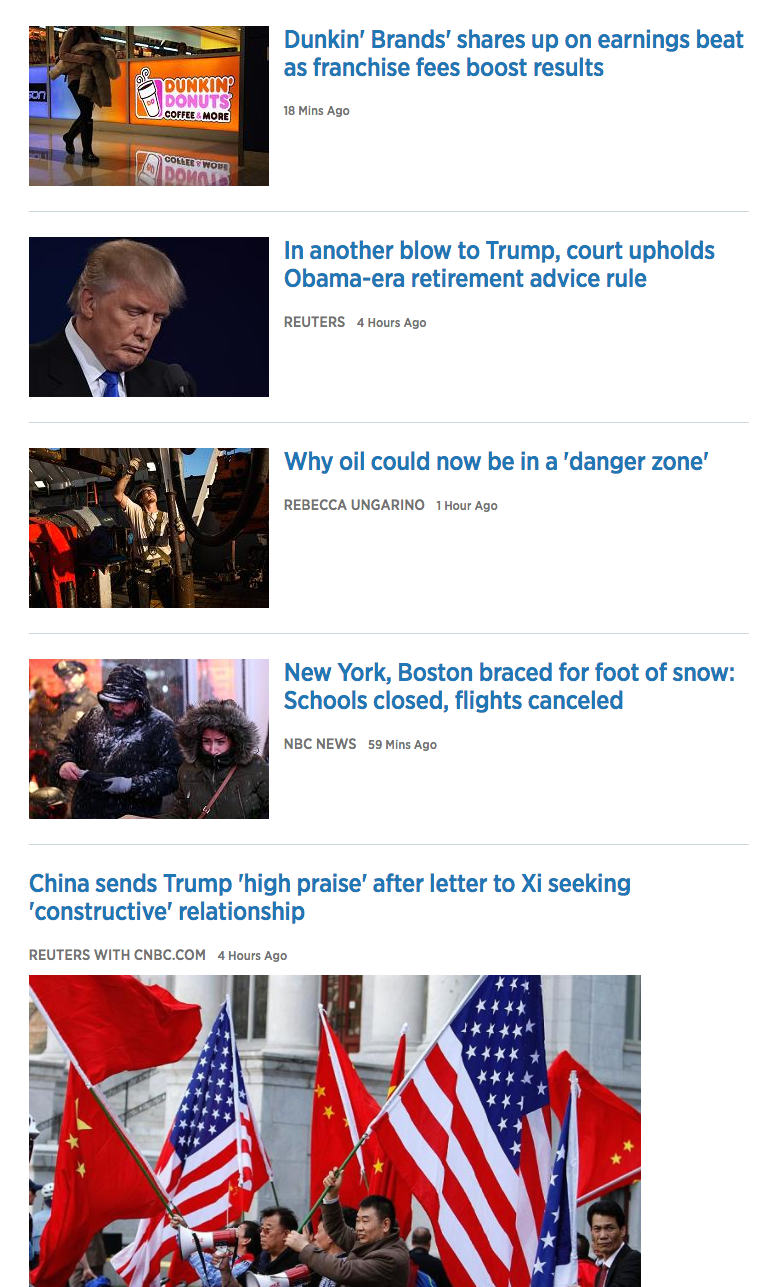
Example of a Dynamic Collection: List of Articles on the Homepage
Features
- Ability to specify criteria by:
- Content type
- Creator
- Primary tags
- Publish state
- Title/slug/description/body contains specific keywords
- Ability to switch to Curated Collection
- Ability to specify the order of the items
- Ability to pin items on the top
- Specify how often the Dynamic Collections are going to refresh/hit the server to pull data
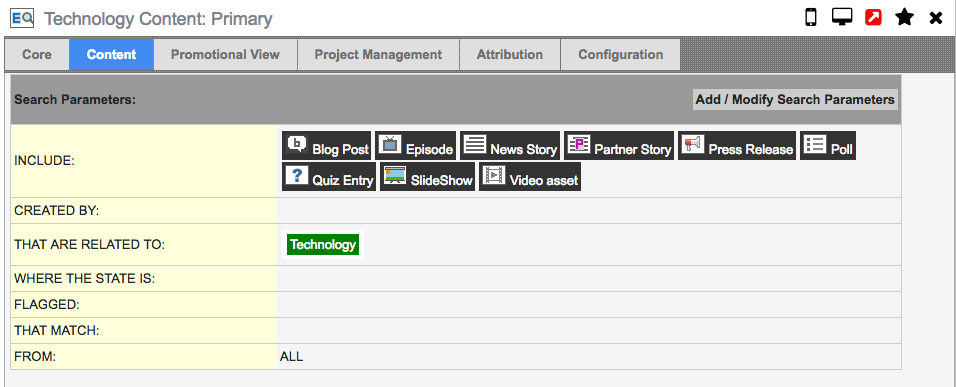 Example of a Dynamic Collection UI: Set Parameters
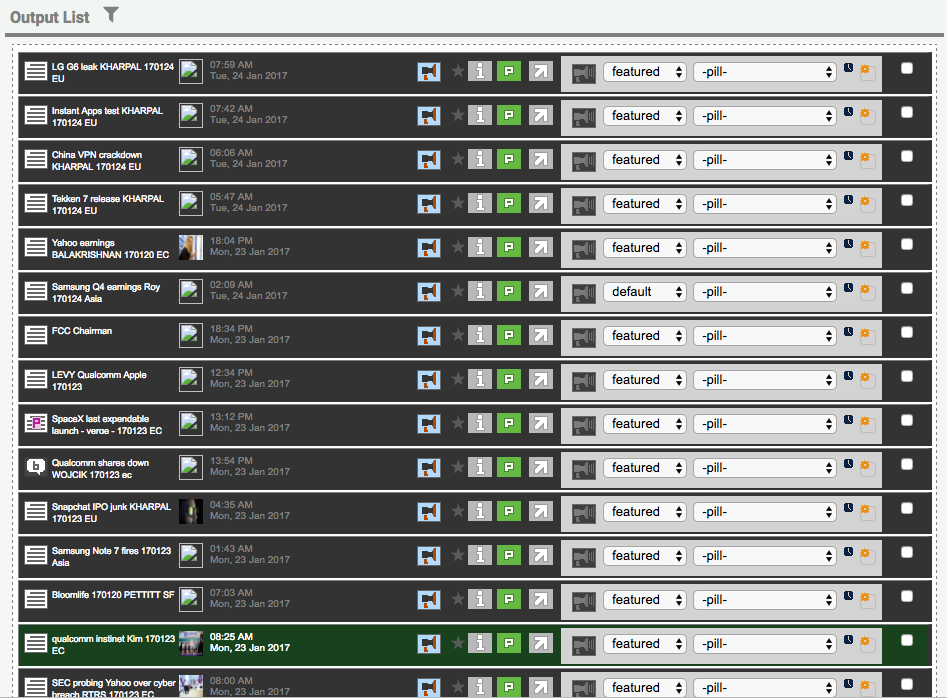
Example of a Dynamic Collection UI: Output List
Objective
Create a Collection Group that holds contents for a single page
Example Link

Example of a Collection Group: Homepage
Fields & Features
Basic Information
- Title*: Title of the Collection Group
- Short Description*, Medium Description, Long Description: Different lengths of descriptions of the Collection Group
- Short Description may be used for SEO Description
- Depending on the brand needs
- SEO Title*: Title to be displayed when sharing, on search, and bookmarking
- Additional field that should be considered
Association
- Series, Season, Episode: Reference to the related Series, Season, and Episode
- Only applicable to the Prime-related pages. May be the fields that are only available to TV/Prime users
- Categories, Tags*: Taxonomy
- Tags can be used as SEO keywords
Collections
- Collection: Reference to Curated and Dynamic Collections
- Dropdown that searches for all Curated and Dynamic Collection type in the CMS
- User can add multiple collections
*: same field available in articles
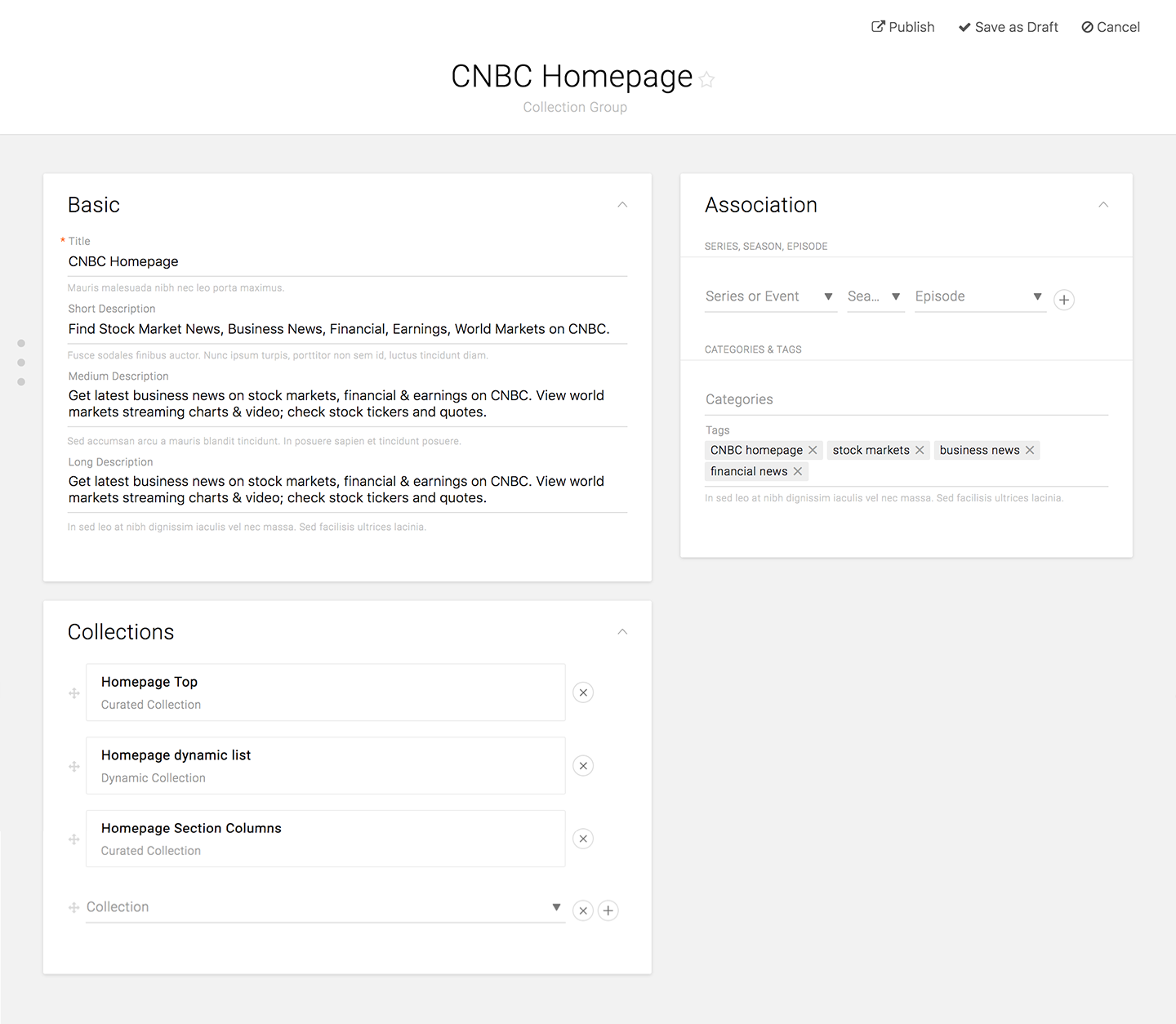
Example of a Collection Group UI