Group 2: Editorial Workflow
Contents
 Participants
Participants of the second group belong to the teams that are part of the daily editorial workflow. They interact with one another to create accurate and effective news stories that would be on CNBC.com as well as on various social media.
List of the participants
- Hot Seat Associate Managing Editor
- News Associate
- Photo Desk
- Copy Editor
- Social Media Associate Producer
 Session Recordings
We voice-recorded the entire session to go back and identify the specific problems and opinions of the participants.
Voice Recording of the Focus Group Session 2
 Session Photos
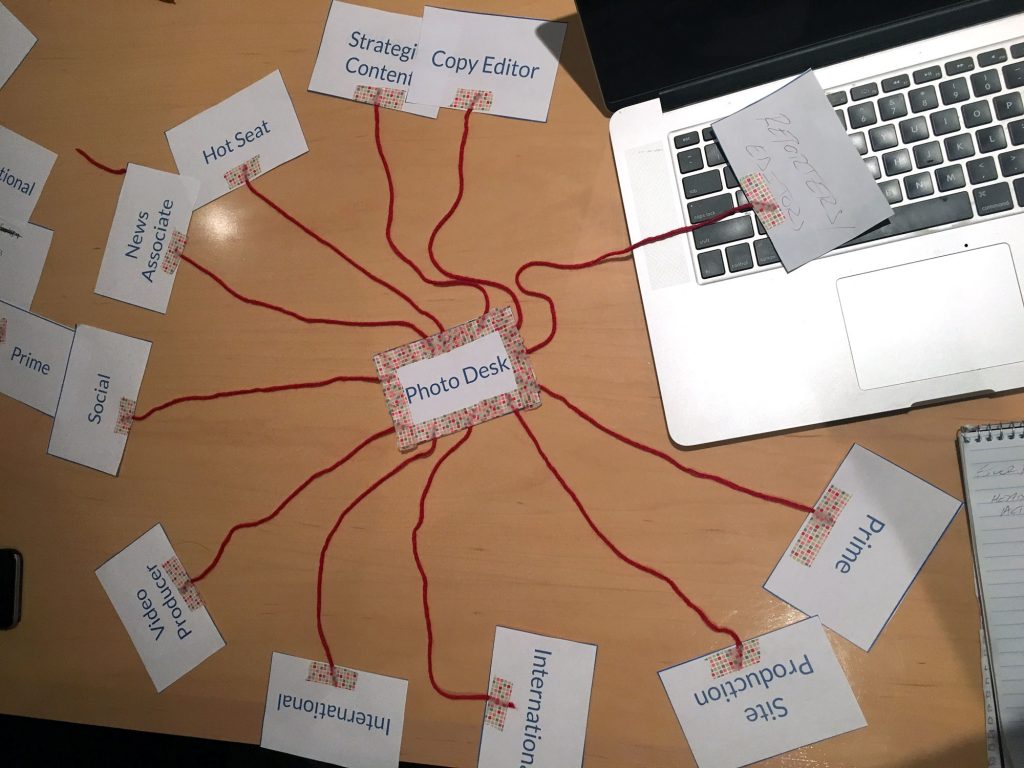
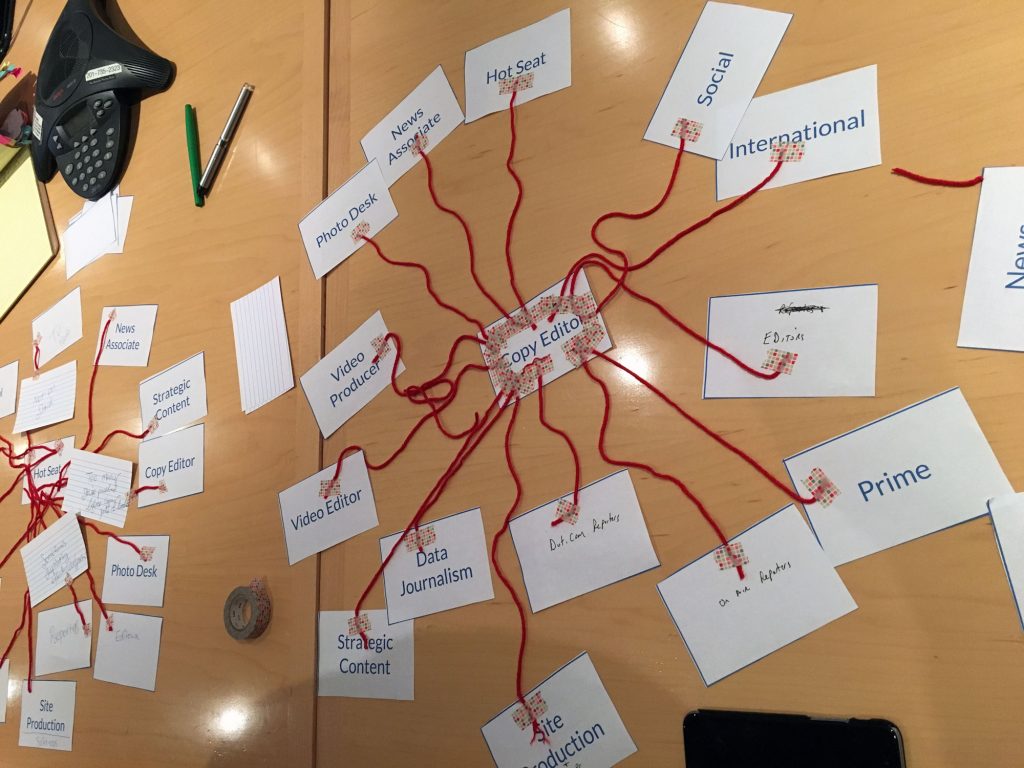
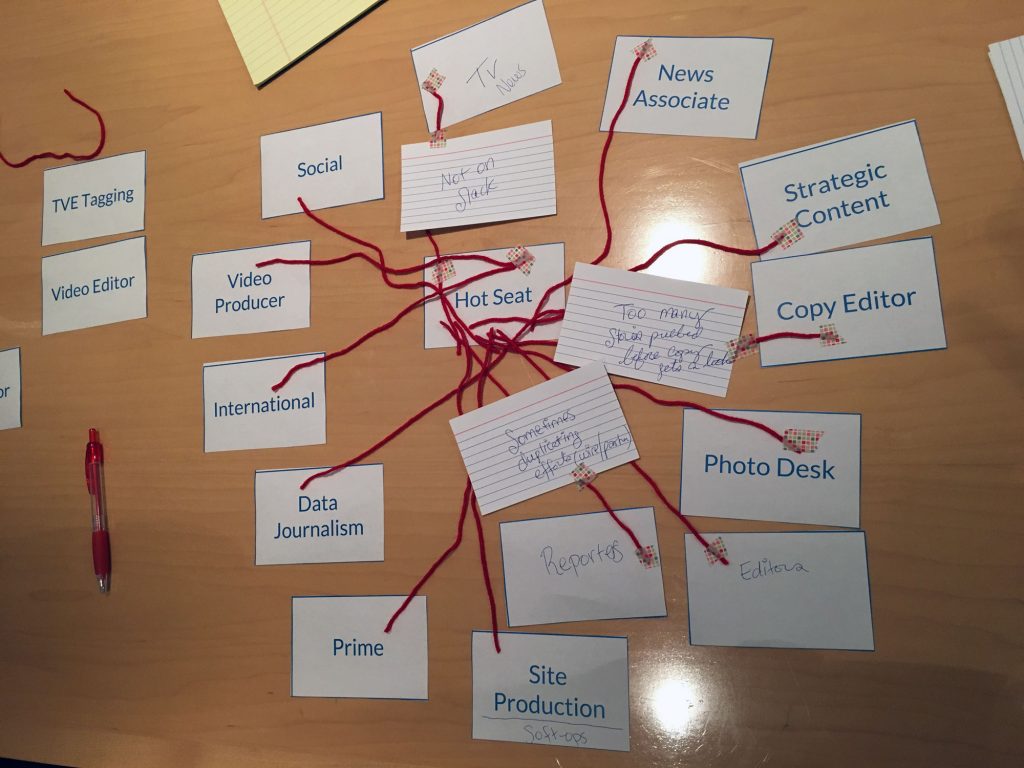
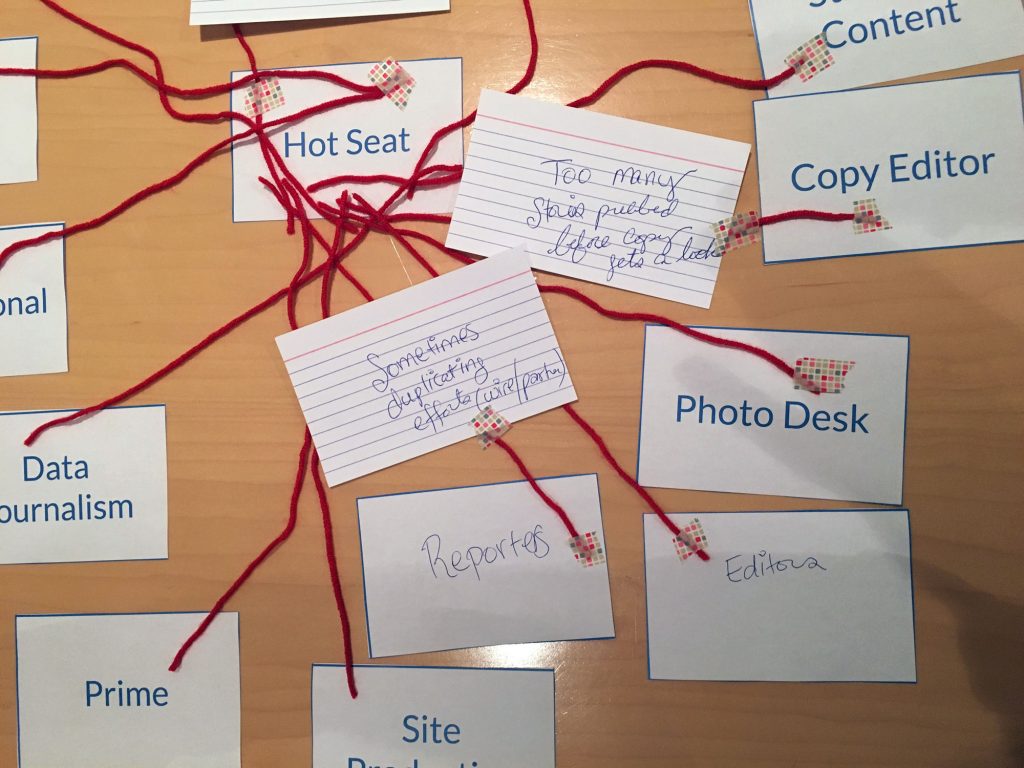
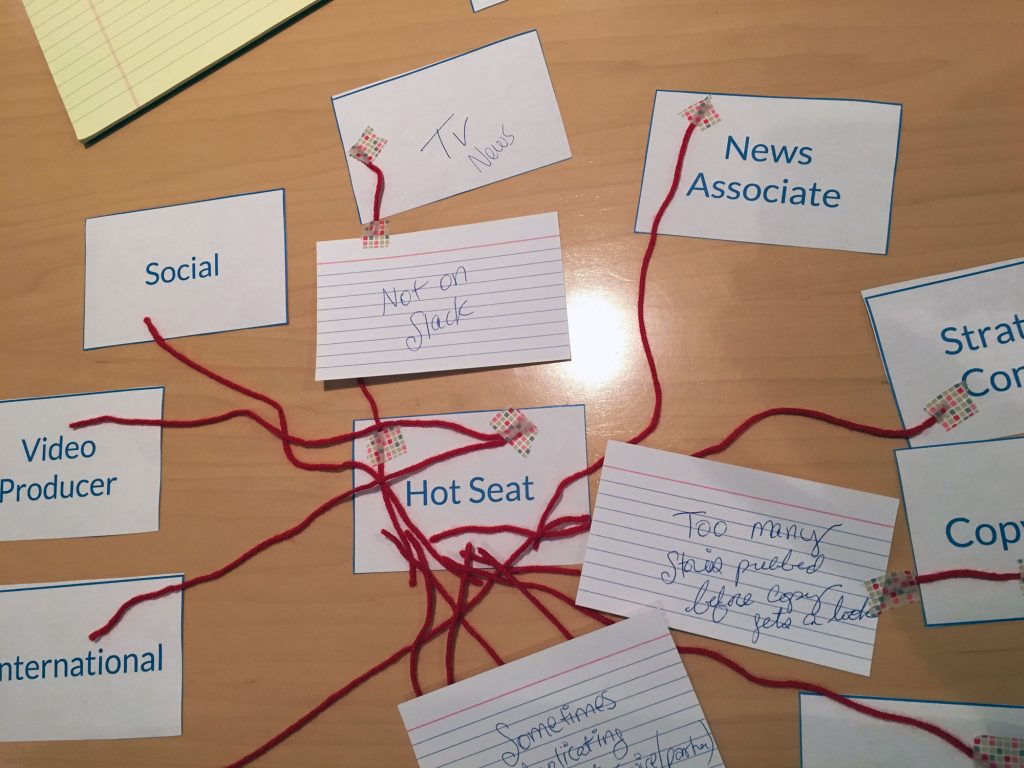
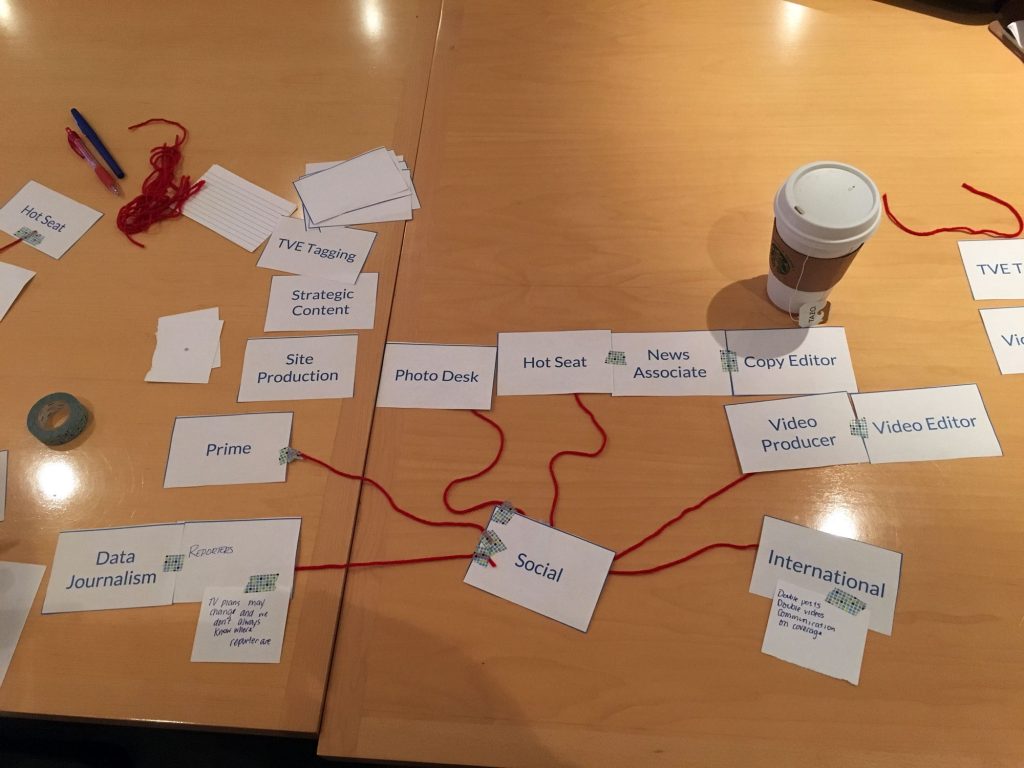
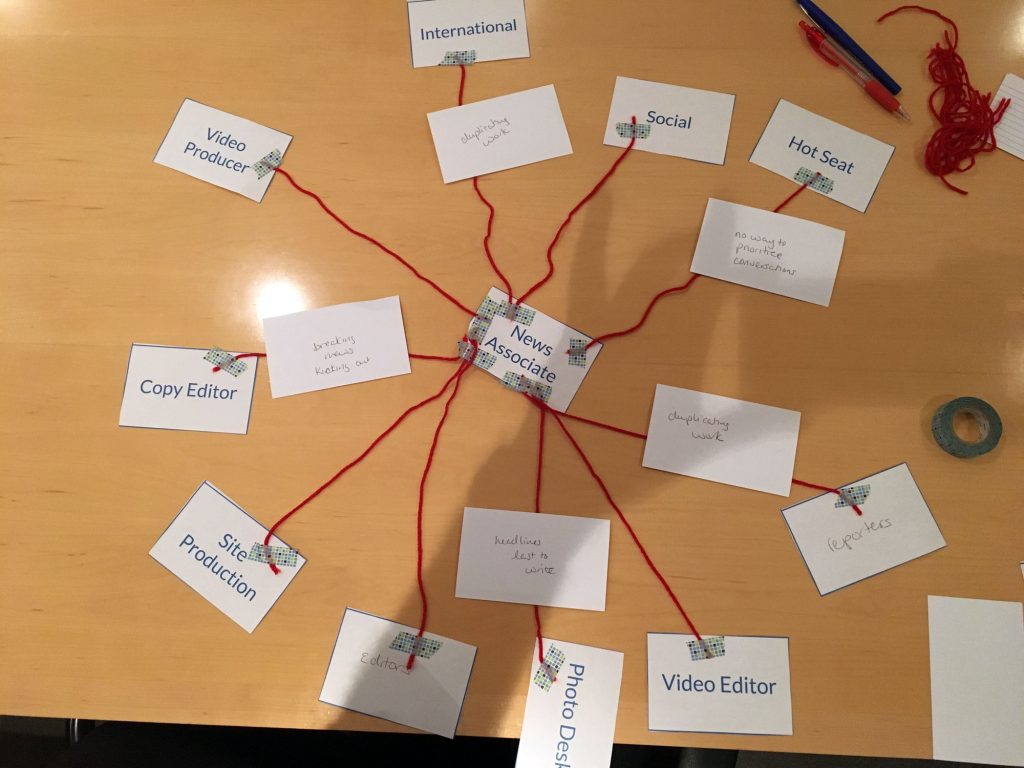
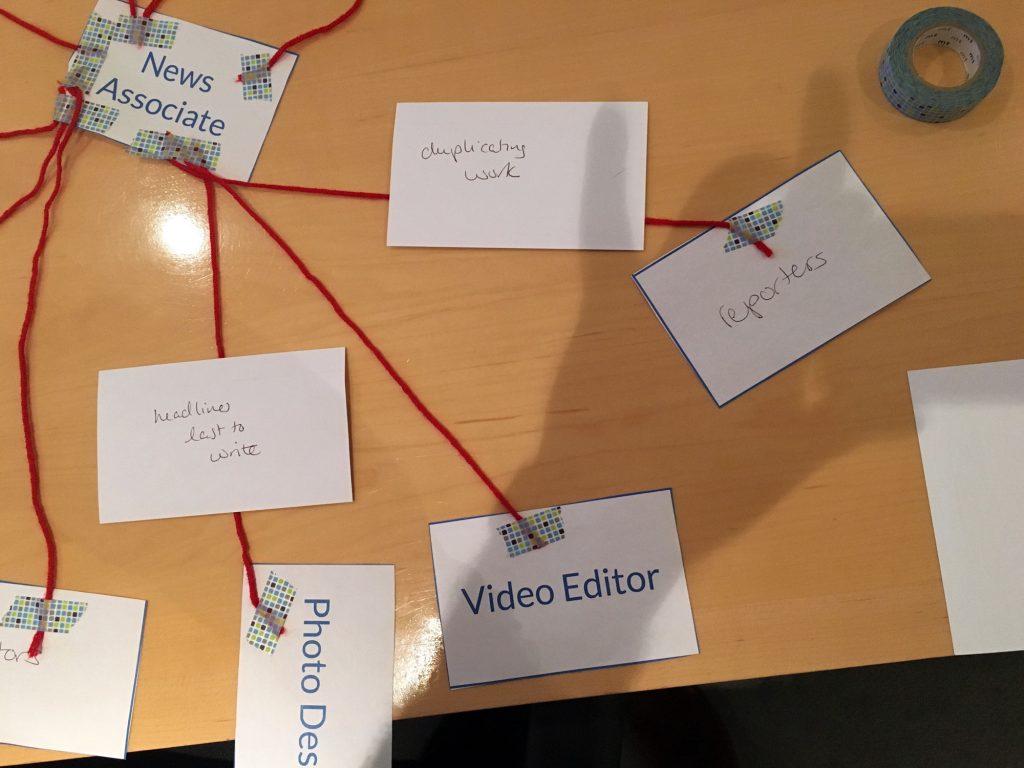
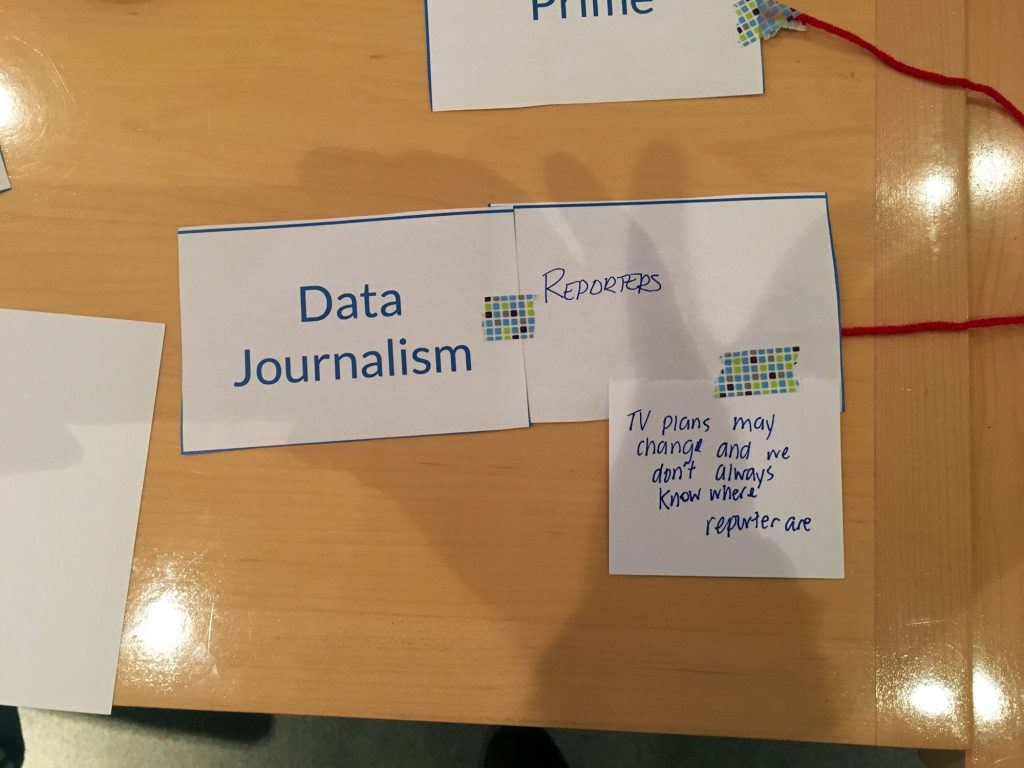
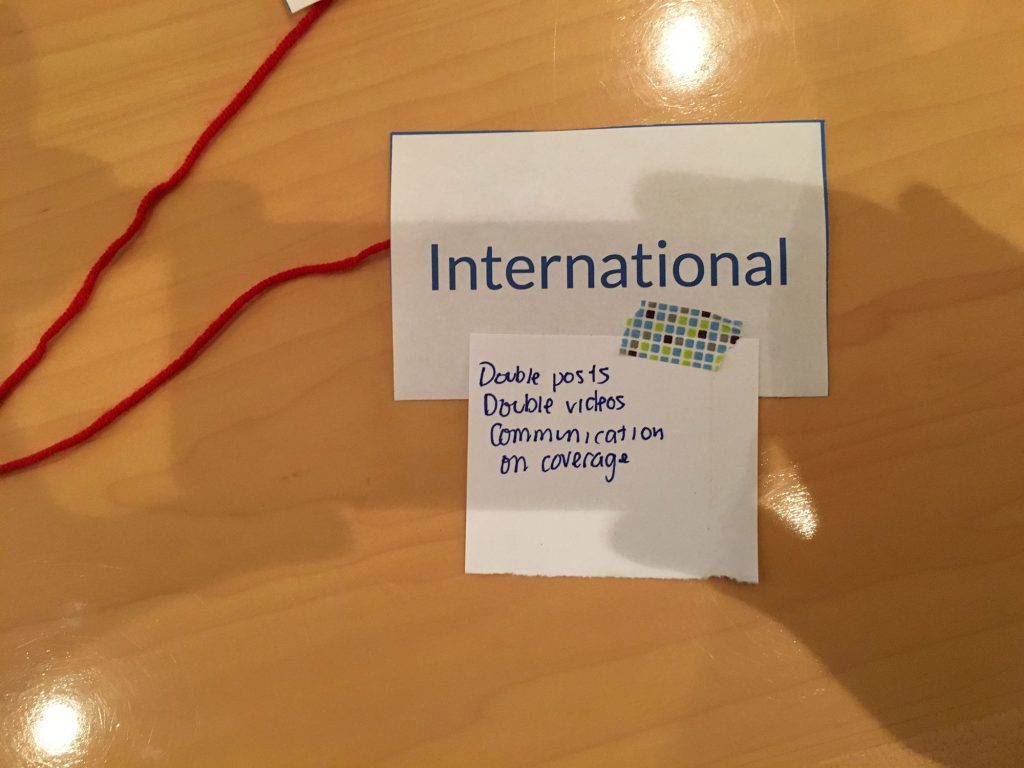
For our record, we took photos of the workflow maps that participants created.
 Summarized Notes
Photo Editor
General
- Everything on the website has a photo
- Issue: Repetition of the images that get put up on the site
- Not a 24/7 desk, so people end up using the same images in a row
- Need to clean up what International and off-hour people have put up
- Suggested Solution: Flag the photos that have been published in an article within a week – warning message
- Toolbelt issue
- Searchability: visually see what he is looking for, type in any keyword
- Suggested Solution by Copy Editor: Knowing which photo can be reused without relicensing or going through Photo Desk
- Suggested Solution by Social Media Associate Producer: Smart search when there is a typo in the complicated name
- Photo Editor agrees: slug has to be correct letter by letter
- Keyword should pull from slug, caption, and source of the image
- Searchability: visually see what he is looking for, type in any keyword
- Photo Desk gatekeeps the licenses, controls quality, edits photo
- Thinks Slack isn’t efficient with so many channels – communication used to be better with the morning meetings
Workflow
- Everyone comes to them for the photo to promote the content
- Most important: Hot Seat, News Associates, Editors, Reporters, Strategic Content
- Pretty independent: Video Producer, International, Prime
- Site Producer: Troubleshooting
- Social: collaborate on a lot of things, but relatively independent
- Photo went up right away in social media might not be the best photos, and he replaces them in the story, but that doesn’t get reflected
- Suggested Solution: Figure out a workflow to reflect the change when necessary
- Suggested Solution by Social Media Associate Producer: Facebook is controlled and can be modified, but the quickest fix for Twitter would be to delete and post again. Just let the Social team know when there is a photo that’s wrong
Hot Seat Associate Managing Editor
Workflow
- Interact with all but TVE tagging and Video Editor
- TV News
- Not on Slack but on Convo, so have to watch both platforms
- Copy Editor
- Too many stories are getting published, so can’t get copy-edited
- Soft-publishing: getting someone else to read the articles
- Always have corrections
- Maybe there is no way to fix this issue because the publication is now lean and fast
- Better to have the Copy Editor look at later and make corrections rather than have something wrong published
- Reporter
- Duplicating effort: There’s Wire or Partner story about a topic, and they write about the same topic
- Photo Editor has similar issue with the photo requests
- Duplicating effort: There’s Wire or Partner story about a topic, and they write about the same topic
News Associate
General
- Duplication of work
- e.g. writing food start-up story under Tech, and Special Report team might be covering the same topic for their food vertical
- Suggested Solution: Centralized filter/flag and control
- Suggested Solution: See what other groups are working on
- Toolbelt issue
- Having to kick people out of Breaking News
- Suggested Solution: Google-docs-like simultaneous editing, e.g. while she’s editing, Copy Editor can copy-edit
- Copy Editor thinks it’s dangerous – one can override another. Rather, people should be able to edit different fields at the same time
- Suggested Solution: Track changes feature where the writer accepts other people’s changes
- Hot Seat Editor likes the idea
- No way to prioritize different communication channels
Workflow
- Video Editor: Ask for videos
- Site Production: Troubleshooting
- Social: Ask to share on social
- International
- Duplication of work
- Photo Desk
- Headline changes until the very end, so need to ask for new photos
Social Media
General
- Mini Badger is very helpful
Workflow
- Mainly communicate with Hot Seat, Photo Desk, Video Producer, International, Prime
- Look if there’s anything to add on social
- Communicate with all but Site Production and Strategic Content
- International
- Duplication of efforts: same posts and videos
- Their standard doesn’t quite meet the US team’s standard, especially their Video Producer
- Photo Desk
- Wants to look something up quickly by themselves
- They help her find the specific photo that she’s looking for
- TV Reporter
- They are not on Slack, and it’s hard to communicate with them
- Emails get lost
- There is a person in the Social team who is mainly communicating with the team, but she’s moving to another team
Copy Editor
General
- Everyone who writes will submit for copy editing
- Wants higher quality video screengrabs to be taken inside Toolbelt
Workflow
- Almost everyone except for TVE tagging
- Most interaction: Hot Seat, News Associate, Photo Desk, Editor, Reporter
- Less direct interaction: Video Editor, Video Producer
- Find typo, etc. then let them know
- Coordinating them with putting a video in a story
Most common issues
- Duplication of efforts: writing about the same story, using the same photos, getting the same photo requests
- More visibility of other people’s effort
- Too many channels of communication and many Slack channels
- Communicating with Reporters are difficult, as they are not on Slack
 Prioritization Ranking
| Features | News Associate | Social | Photo Desk | Copy Editor | Hot Seat | Group 2 Average | Overall Average |
|---|---|---|---|---|---|---|---|
| Google-like search for stories/assets | 5 | 5 | 5 | 5 | 5 | 5 | 4.8 |
| Quickly publishing stories | 5 | 5 | 5 | 5 | 5 | 5 | 4.7 |
| Fast saving | 4 | 5 | 5 | 5 | 5 | 4.8 | 4.8 |
| View the performance of a particular story | 5 | 5 | 5 | 5 | 4 | 4.8 | 4.4 |
| Story autosaving | 5 | 5 | 4 | 5 | 5 | 4.8 | 4.1 |
| More organized search results | 5 | 3 | 5 | 5 | 5 | 4.6 | 4.6 |
| Easily copy and paste stories from other sources | 5 | 3 | 4 | 5 | 5 | 4.4 | 4 |
| Ability to edit from networks other than NBCU_Corp | 4 | 4 | 5 | 5 | 4 | 4.4 | 3.5 |
| Easily navigate to different parts of the CMS | 2 | 5 | 5 | 5 | 4 | 4.2 | 4.5 |
| Fast loading search results | 3 | 3 | 5 | 5 | 5 | 4.2 | 4.3 |
| Ability to edit CMS from mobile | 4 | 5 | 5 | 4 | 3 | 4.2 | 4.2 |
| Being able to tell if the videos that are ready to be used | 4 | 3 | 5 | 4 | 4 | 4 | 4.3 |
| Easily replacing the assets in the text editor | 3 | 4 | 3 | 5 | 5 | 4 | 4.2 |
| Easily embedding assets in the text editor of News Story content type | 2 | 3 | 5 | 5 | 5 | 4 | 4.1 |
| Efficiently handing off stories/assets to the next team | 5 | 2 | 5 | 5 | 3 | 4 | 4 |
| Easily embed social media into a story | 3 | 5 | 3 | 5 | 4 | 4 | 3.9 |
| Easily see what the latest published stories are | 3 | 5 | 3 | 5 | 4 | 4 | 3.8 |
| Receiving notification when the status of a story changes | 4 | 3 | 4 | 5 | 4 | 4 | 3.67 |
| Quickly knowing the status of a specific story | 3 | 3 | 4 | 5 | 4 | 3.8 | 4.11 |
| Easily rearranging the embedded assets in the text editor of News Story | 4 | 3 | 3 | 4 | 5 | 3.8 | 3.9 |
| Easily apply search filters | 3 | 2 | 5 | 4 | 4 | 3.6 | 4.1 |
| Ability to do basic edits on photos, e.g. crop, level, contrast | 2 | 3 | 5 | 5 | 3 | 3.6 | 3.7 |
| More visual search results of media items | 3 | 3 | 5 | 5 | 2 | 3.6 | 3.6 |
| Ability to do basic edits on videos in the CMS, e.g. trim | 4 | 3 | 5 | 4 | 2 | 3.6 | 3.6 |
| Ability to predict which story/topic would go viral via analytics | 2 | 4 | 4 | 5 | 3 | 3.6 | 3.56 |
| Understanding what each field does (e.g short description vs. shorter description) | 4 | 4 | 3 | 3 | 3 | 3.4 | 3.8 |
| Easily prioritize the list of things to do | 3 | 1 | 5 | 5 | 3 | 3.4 | 3.56 |
| Easily share the stories to social media | 2 | 5 | 3 | 4 | 3 | 3.4 | 3.5 |
| Quickly getting the list of things to do | 3 | 1 | 5 | 5 | 3 | 3.4 | 3.44 |
| Easily look at what other news sources are saying | 2 | 2 | 5 | 5 | 3 | 3.4 | 3.33 |
| More visual representation of the assets | 2 | 2 | 5 | 4 | 3 | 3.2 | 3.33 |
| Visual appearance of the CMS | 2 | 2 | 5 | 5 | 2 | 3.2 | 3 |
| Not seeing the fields that are irrelevant to the content type | 2 | 1 | 3 | 4 | 3 | 2.6 | 3 |
 Prioritization Details & Blue Skies
Copy Editor
Top 3
- Speed & convenience
- Whatever can make them work faster
- Visual search result
- Google-like search of assets
Other
- Viewing the performance of the stories would be cool, but he would be moved on to the next story. Thinks it’s very important for Hot Seat, so put 5
- Pop-up for publishing confirmation on Breaking News is annoying
- Confirmation for publishing on obituaries and embargos would be helpful
- There is no preview option while someone else is looking at the asset
Social Associate Producer
Top 3
- Easily able to share stories on social media
- Using external program currently, but would be useful to use a single platform
- Autosaving
- Have lost work before
- Ability to search easily
Blue Sky
- Searchability, with keywords
Other
- Ability to edit from mobile would be great, especially with social component
Hot Seat Associate Managing Editor
Top 3
- Easily rearranging the embedded asset
- Story autosaving
- Lots of pain in the Editorial team
- Google-like search
Other
- View the performance of the article: using other tools for that right now, but if it works with Omniture and Chartbeat, it would be nice
Photo Editor
Top 3
- Google-like search
- Pull from various fields, e.g. caption, source, date, slug, etc.
- Visual display
- When looking for images, don’t need to click each image
- Basic photo editing
Blue Sky
- Image Asset System
Other
- In general, the issue is that there are too many systems – communication, assets, statistics, etc. Any way to consolidate them would be great
- Flags on photos – green for no need for licensing, yellow for license by use, red for do not use
- Something like Assignment Doc existing within CMS would help Photo Desk, too
News Associate
Top 3
- Story Autosaving
- Easily rearranging the embedded asset
- Google-like search
- Quickly publishing
- especially Breaking News – publishing after every sentence
- Efficiently handing off to the next team
- Notification within Toolbelt
- Easily copy and paste from other sources
- 10 min for Partner grab and 5 min for Wire grab currently, but they would add up
Blue Sky
- Autosaving
 Stray Observation
- Like Group 1, participants seemed to enjoy the Workflow activities a lot.