This document discusses content types related to TV/Prime workflow, including Series, Season, Episode, and Promo.
The user interface examples shown below are based on the research and design for the entertainment brands, and the details of the structure and fields may change after we conduct deeper research with CNBC users.
Objective
Create a series that holds all relevant information about the series and its page
Example Link
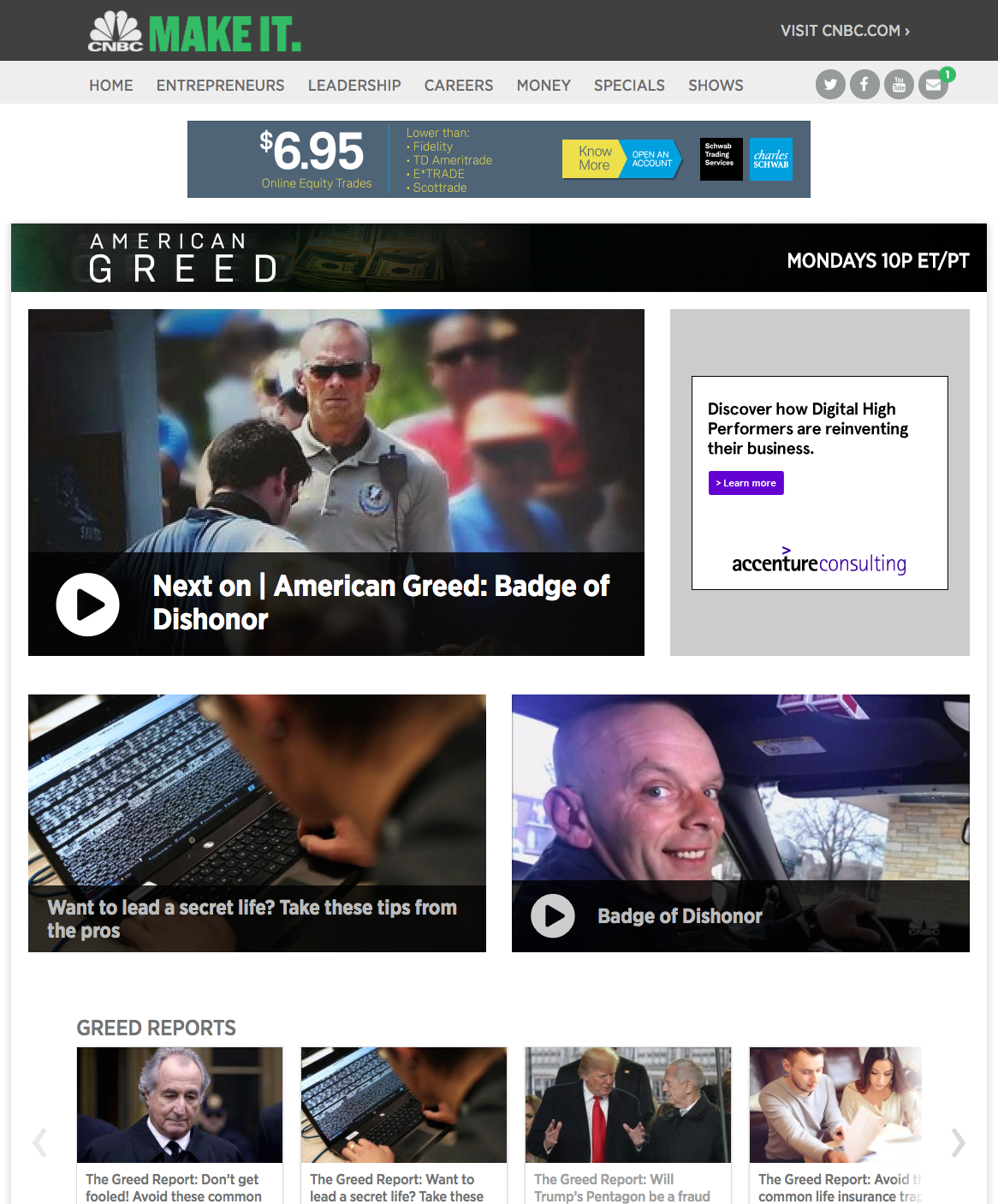
Example of a Series
Fields & Features
General Info
- Title*: Title of the series
- Subtitle: Subtitle of the series. The text that gets displayed along with the title.
- Short Description*, Medium Description, Long Description: Different lengths of descriptions of the series.
- CNBC only has short description of the series
- SEO Title*: Title to be displayed when sharing, on search engines, and bookmarking
- Additional field that should be considered
- Other fields
- Depending on the brand needs
Promotional: Texts that get displayed when this series is promoted on a page
- Promotional Kicker: Subtitle of the promo unit
- Promotional Title: Title of the promo unit
- Promotional Description: Descriptive text of the promo unit
Association
- Categories, Tags*: Taxonomy
- Tags can be used as SEO keywords
- Depending on brand needs
- Collection Group: Reference to the Collection Group that will consist the series’s page
- The dropdown searches for all the Collection Groups that exist in the CMS
Media
- Images*: Various images that would be used for the series
- Some of the example usages include Primary, Promo, Cover, Logo, Banner, etc.
- The list of the usages would be configurable by brand
- Has the same functionalities and capabilities with the Media card on articles
Links: Any links that are relevant to the series. Mainly used for social media.
- Link Title: Title of the link.
- Link URL: URL of the link.
MPS Ad Fields
Not Applicable
*: same field available in articles
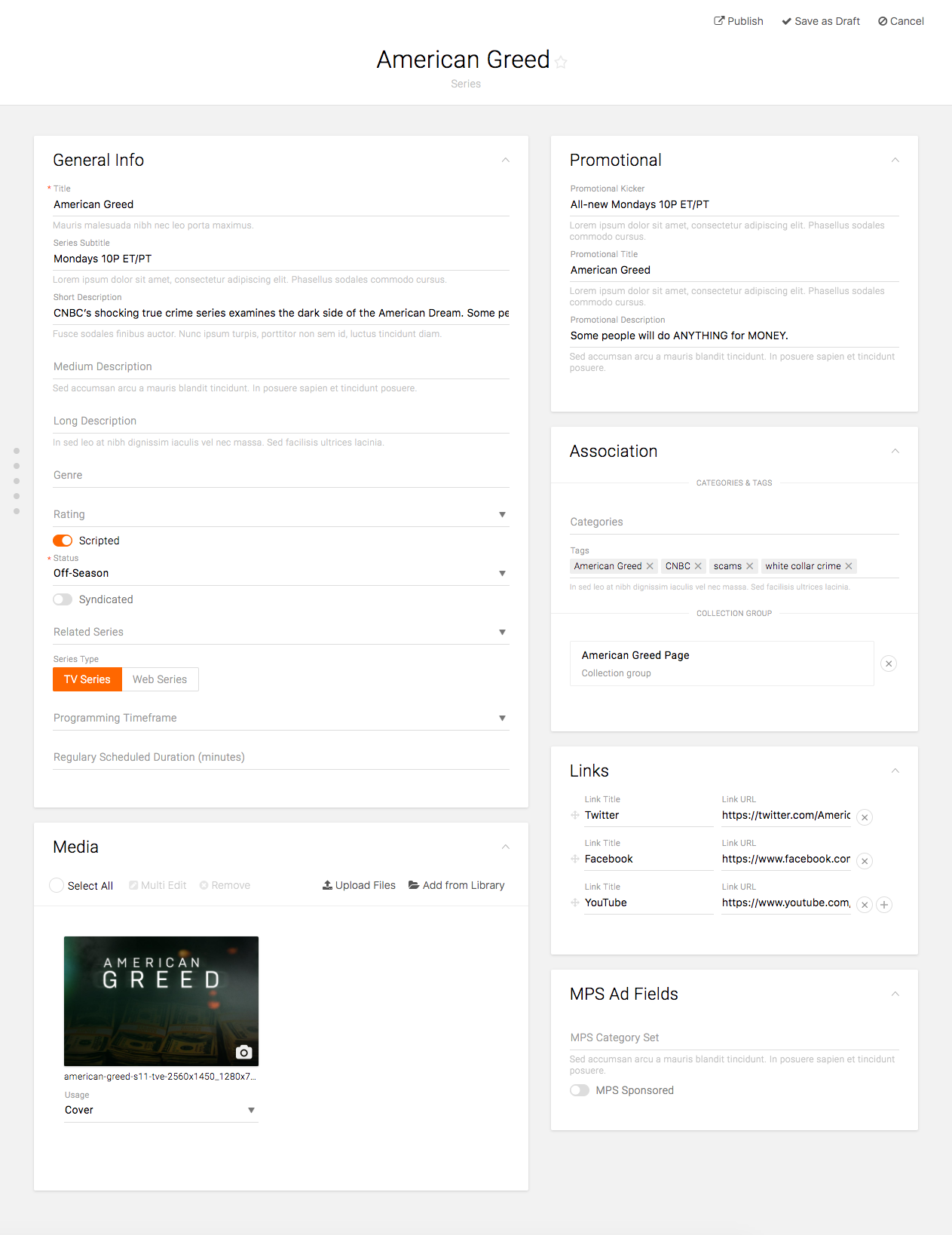
Example of a Series Content Type UI
Objective
Create a season that holds all relevant information about the season and its cast
Fields & Features
General Info
- Title*: Title of the season
- Short Description*: Short description of the season, if applicable
- Series: Reference to the season’s series
- Season number: Number of the season
- Other fields
- Depending on the brand needs
Casts and Credits
- Cast – Person: Person content type that holds information about a person, e.g. actor, host, narrator, etc.
- Cast – Role: Role of the person
- Initially designed to reference Role content type, but it can be a tag-like field for CNBC
- Credit – Title: Title for the credit
- Free text field
- Credit – Name(s): Names for the credit
- Free text field
Other cards: Depending on brand needs
*: same field available in articles
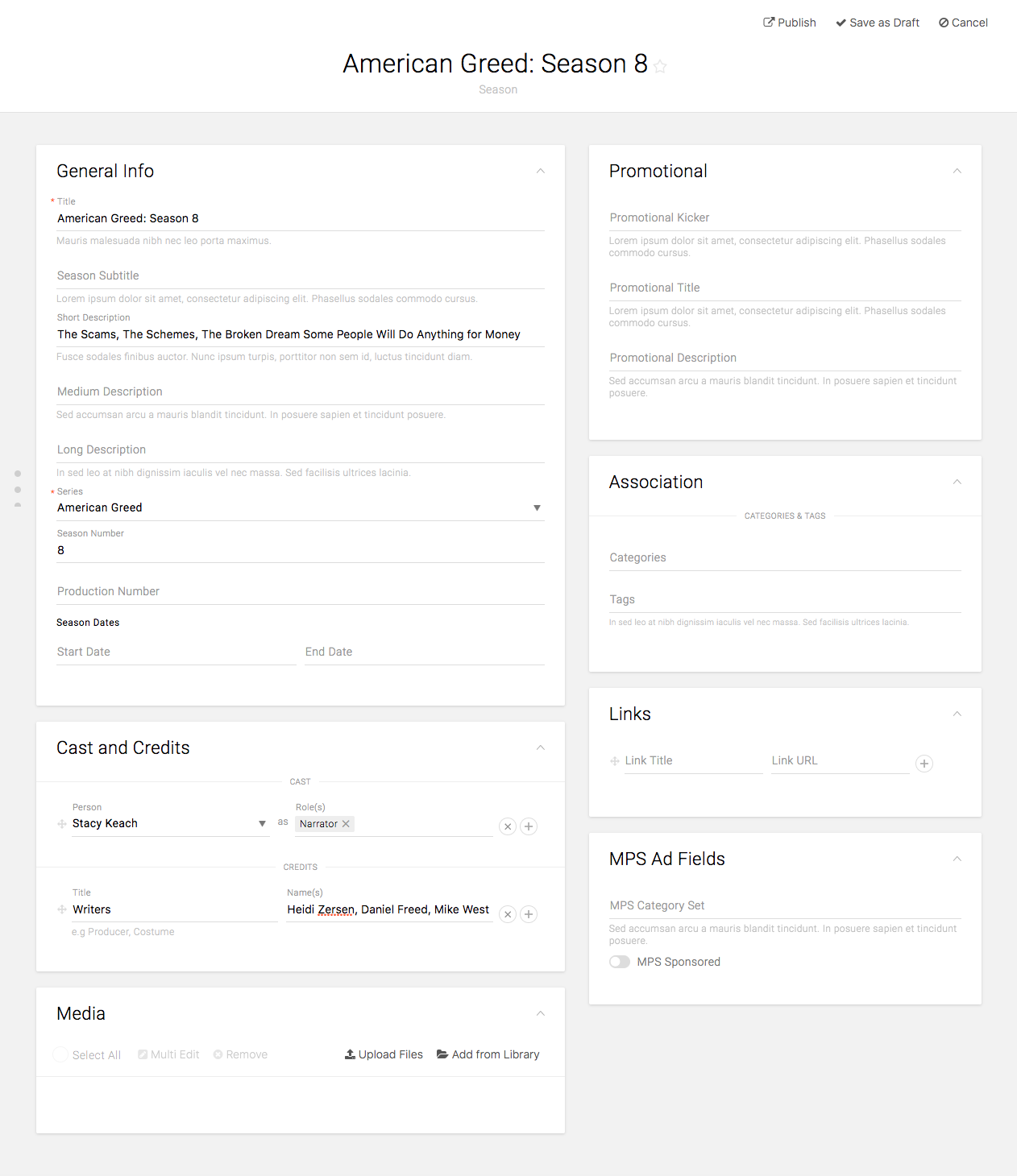
Example of Season Content Type UI
Objective
Create a season that holds all relevant information and content of the episode
Example Link
http://www.cnbc.com/2016/12/14/jay-lenos-garage-crime-fighters-recap.html
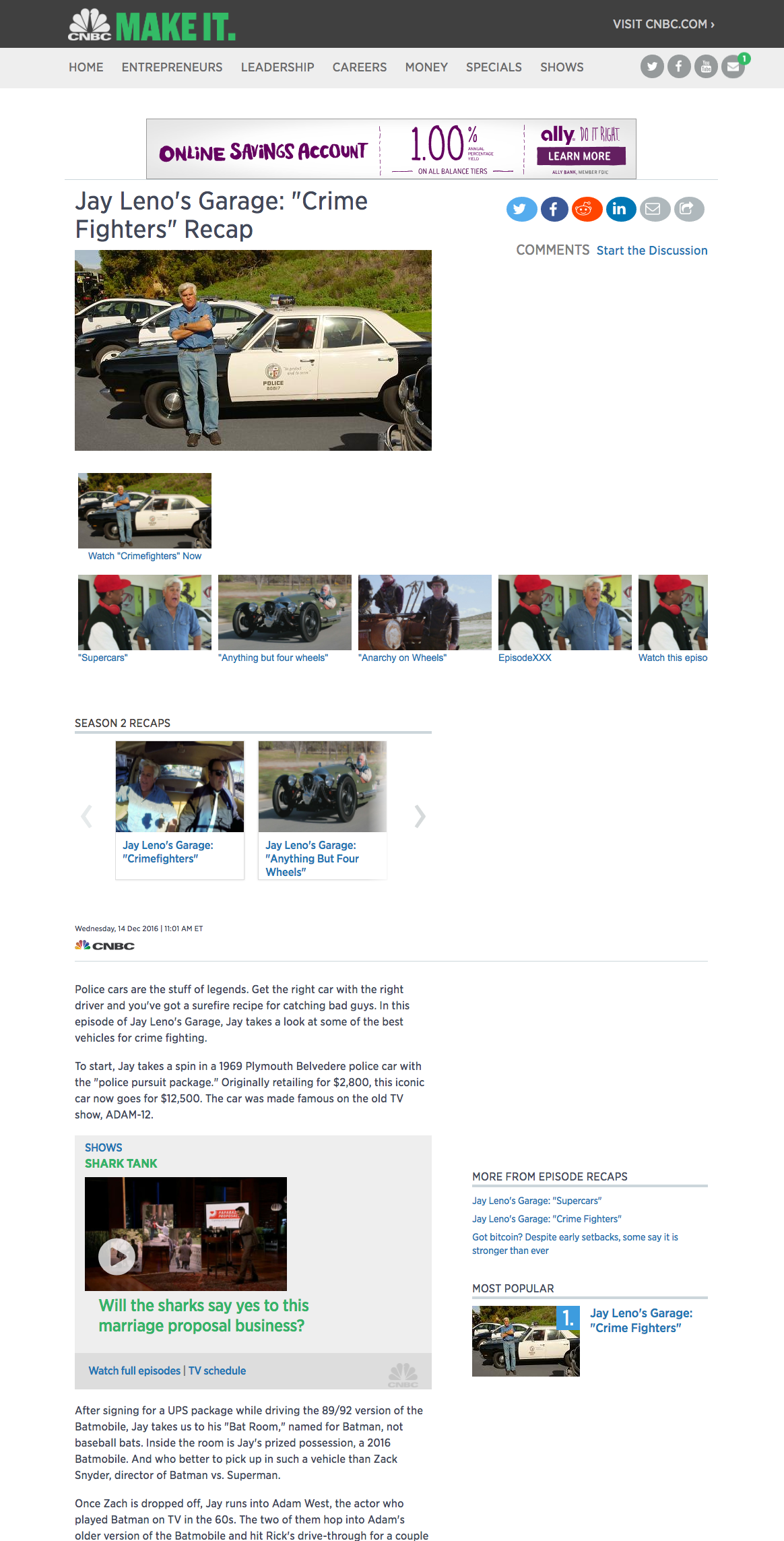
Example of an Episode Recap
Fields & Features
General Info
- Title*: Title of the episode
- Long Description*: Episode Recap text.
- It should use the same text editor as articles
- Series: Reference to the episode’s series
- Season: Reference to the episode’s season
- Episode number: Number of the episode
- Other fields
- Depending on the brand needs
Media
- Images*: Various images that would be used for the series
- Some of the example usages include Primary, Promo, Cover, Logo, Banner, etc.
- The list of the usages would be configurable by brand
- Has the same functionalities and capabilities with the Media card on articles
- Videos*: Various videos that are related to the episode
- Some of the example usages include Episode, Clip, etc.
Other cards: Depending on brand needs
*: same field available in articles
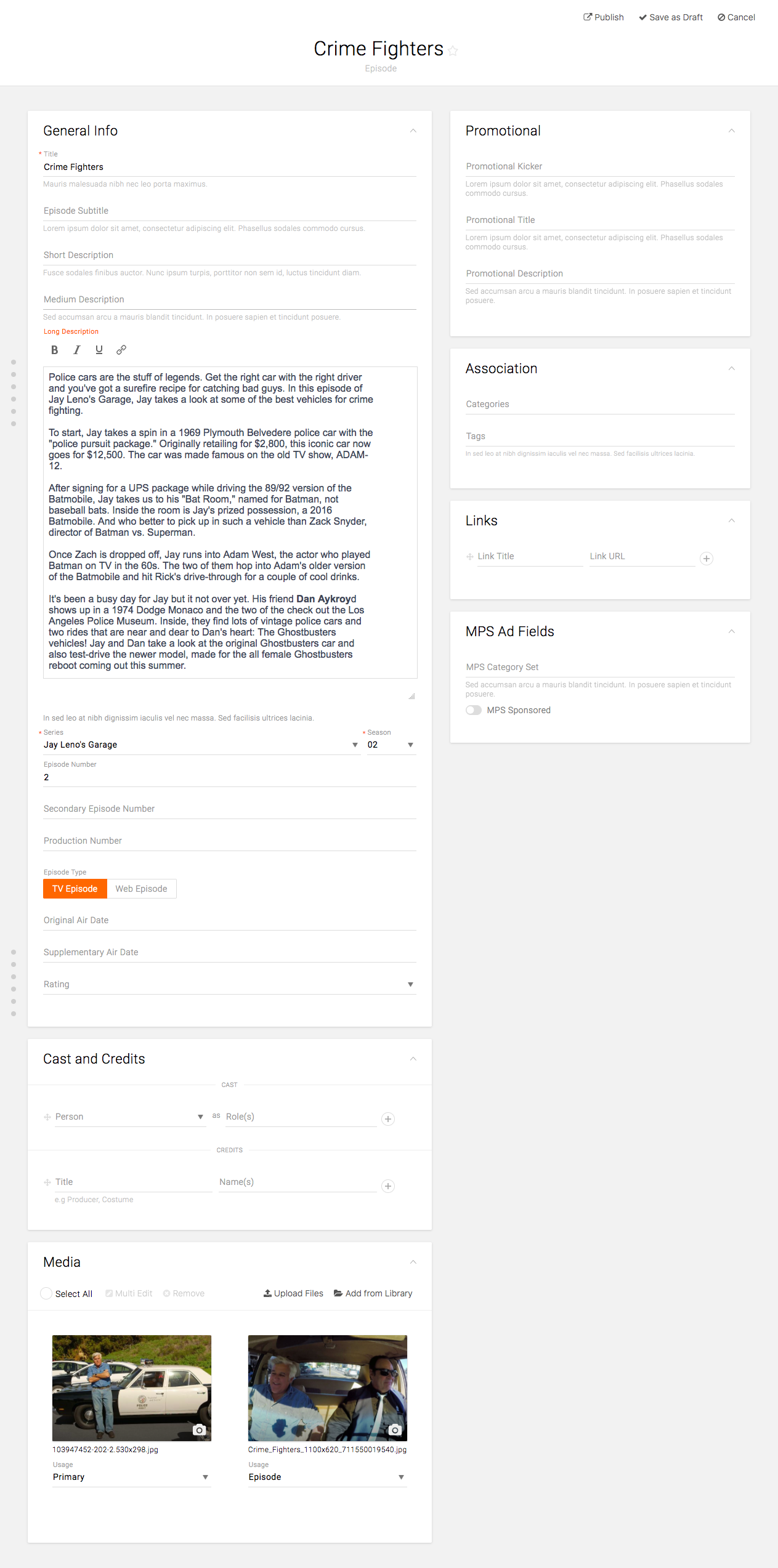
Example of Episode Content Type UI
Objective
Create a promotional item that has custom text and link to insert on homepages.
Example Link
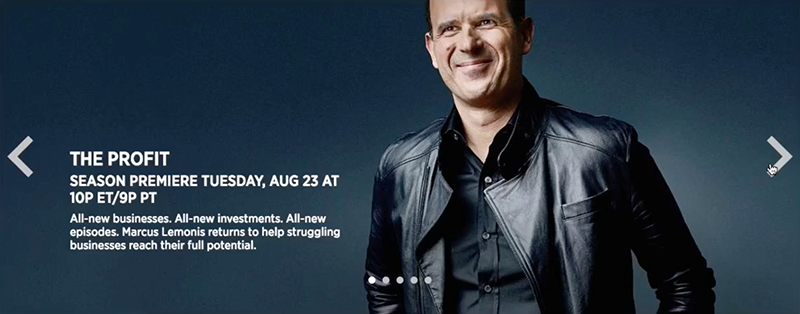
Example of a Promo
Fields & Features
General Info
- Slug*: Internal title
- Promo Kicker: Subtitle of the promo unit
- Promo Title: Title of the promo unit
- Promo Description: Descriptive text of the promo unit
Association
- Series/Event, Season, Episode: References to the existing Series, Season, and Episode nodes
- Not required, but helps to categorize the content and improves searchability
- Categories, Tags*: Taxonomy
- Not required, but helps to categorize the content and improves searchability
- Depending on the brand needs
Media
- Image with Primary usage*: Image that gets used as the background on the promo unit
- Has same functionalities and capabilities with the Media card on articles
Links
- Single link vs. Multiple links: Brand to choose the right option based on their front-end application design
- CNBC only has a single link on the entire tile
- Display text: Customize the text on the button if a call-to-action button is available
- CNBC doesn’t have a call-to-action button
- URL/Content Item: Enter the URL or search for the internal content that can be linked out from the promo unit
- Open link in a new window
*: same field available in articles
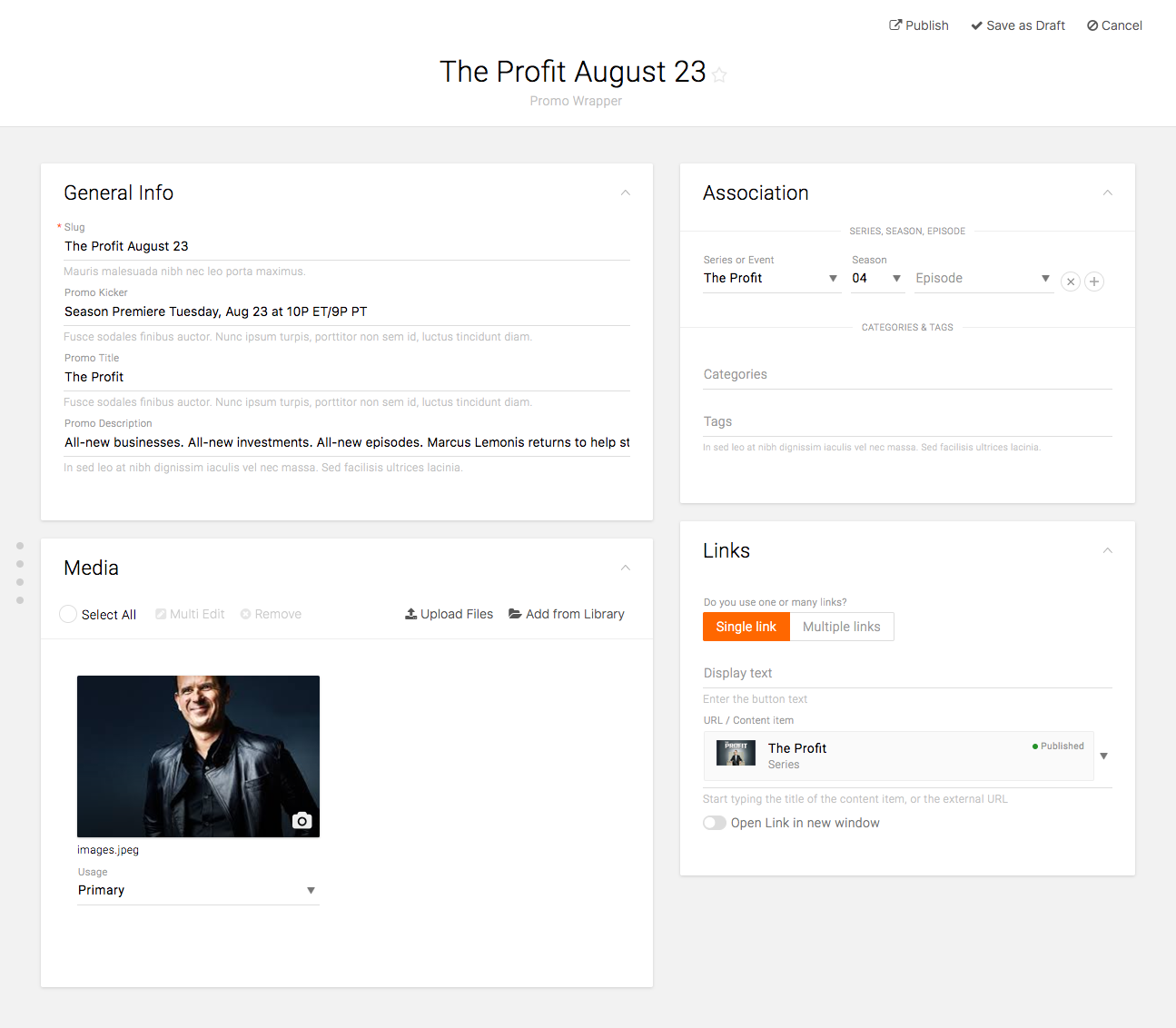
Example of Promo Content Type UI